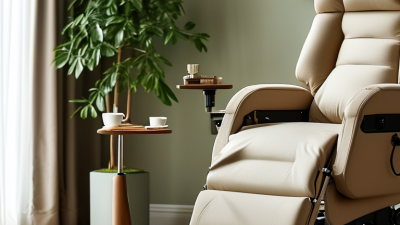
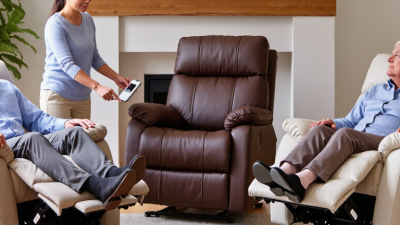
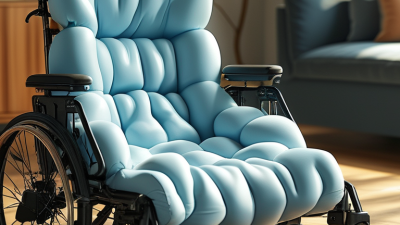
Choosing viva power lift chairs is not only about finding a soft seat. It is about creating safer, easier movement at home. A well-fitted chair can support standing, sitting, resting, and repositioning without unnecessary strain. However, comfort differs from person to person. A chair that feels excellent in a showroom may feel unsuitable after several hours.
Before choosing, consider the user’s height, weight, mobility, and daily routine. Measure the available space, including the distance from the wall and nearby furniture. Check whether the footrest supports the legs fully without pressing behind the knees. The seat should feel stable, while the armrests should help the user push up naturally. These small details matter.
Safety deserves equal attention. Review the lift mechanism, weight capacity, remote control, battery backup, and warranty information. Confirm that the motor operates smoothly and quietly. Ask whether replacement parts and service support are available in your area. Manufacturer specifications should guide the decision, but hands-on testing remains valuable. Sit upright, recline, and return to standing several times. Notice pressure points, hesitation, or awkward controls.
There is no perfect chair.
A careful choice may still require adjustment. Users may need time to learn the remote or change their sitting habits. When balance problems, severe weakness, or medical concerns exist, professional advice can add useful perspective. This guide explains how to compare viva power lift chairs through practical comfort checks, safety features, and dependable buying considerations. Reliable information matters more than attractive promises.
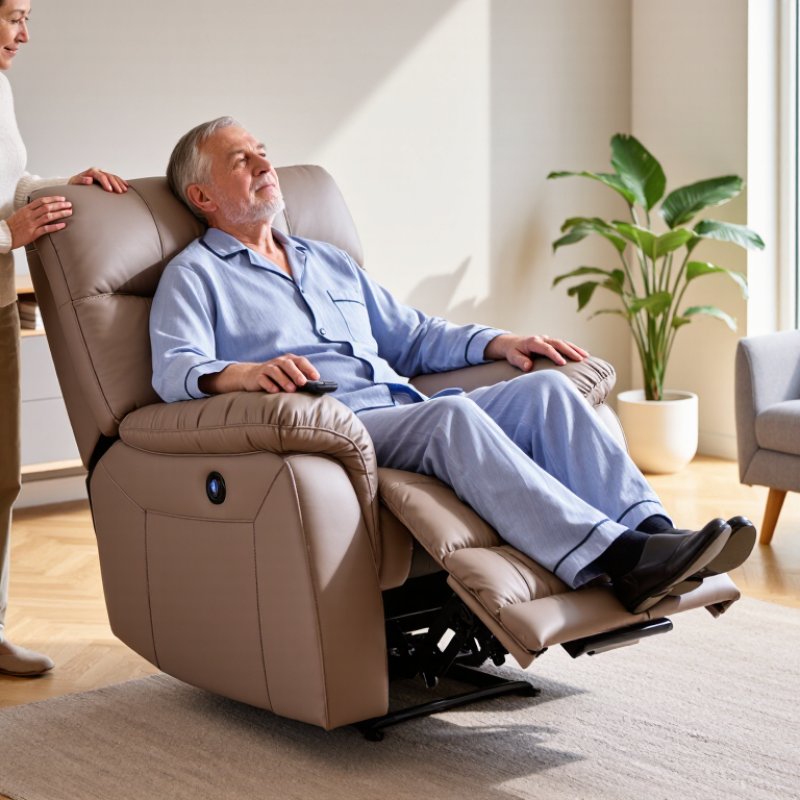
Choosing a power lift chair starts with the user, not the control panel. In practical home-care assessments, I consider height, leg length, balance, and daily routines. A petite user may need a shorter seat depth. A taller user may need extended foot support. If the knees sit too high, standing can feel awkward. Small measurements matter.
Check the lift path before buying. The chair should rise steadily, without tipping or pushing the user forward. Look for firm armrests, an accessible handset, battery backup, and a stable base. Separate reclining and lifting controls may reduce confusion. Heat and massage can feel appealing, but posture and transfer safety matter more. Test the upholstery for ten minutes. Comfort can change.
User needs may also change over time. Someone with weak hands may need large, raised buttons. A frequent napper may value quiet movement and washable fabric. Keep clear space around the chair. Route cords away from walking paths. There is no perfect fit. I have occasionally underestimated how quickly comfort changes after an injury. A home trial with a qualified mobility adviser can reveal problems hidden in a showroom. Review weight limits, maintenance access, and warranty terms carefully. Test the handset with the user’s weaker hand.
| User Need | Feature to Check | Comfort or Safety Benefit | Practical Specification | Best For | Priority |
|---|---|---|---|---|---|
| Difficulty standing or sitting | Powered lift and recline mechanism | Raises the seat and tilts the user forward gradually, reducing the need to push off with the arms or twist the knees. | Look for smooth, controlled movement and a hand control with clearly labeled buttons. | Older adults and users with limited leg strength | Essential |
| Need for stable positioning | Wide, non-slip base | Helps keep the chair steady during lifting, reclining, and transfers. | Choose a stable base that sits level on the floor and does not rock during operation. | Users with balance concerns | Essential |
| Back or lumbar discomfort | Contoured backrest and lumbar support | Supports the natural curve of the lower back and may reduce pressure caused by unsupported sitting. | Check that the lumbar area aligns with the user’s lower back while seated upright. | Users who sit for extended periods | High |
| Leg elevation | Powered footrest | Allows the legs to be raised for resting and can improve comfort when the feet feel tired after standing. | Confirm that the footrest fully supports the lower legs without pressing behind the knees. | Users who prefer elevated-leg seating | High |
| Different body sizes | Correct seat height, width, and depth | A proper fit helps keep the feet supported, the knees comfortable, and the back positioned against the backrest. | When seated, feet should rest on the floor or footrest, with the knees near a right angle and no excessive pressure behind the knees. | Short, average, and tall users | Essential |
| Weight-support requirements | Verified weight capacity | Operating within the rated capacity supports safer lifting performance and reduces mechanical strain. | Select a chair with a stated capacity above the user’s body weight; do not estimate the limit. | Users requiring reinforced seating | Essential |
| Limited hand dexterity or vision | Simple wired remote control | Large, tactile buttons and a connected control reduce the chance of misplacing the remote. | Prefer high-contrast labels, raised buttons, and an emergency stop or reset procedure described in the manual. | Users with dexterity or visual limitations | High |
| Power interruption concerns | Battery backup system | May allow the chair to return to a safer position during a temporary power outage. | Check whether batteries are included, how they are replaced, and how many emergency cycles are supported. | Homes with unreliable electricity | Medium |
| Safe use around furniture | Clearance and anti-trap design | Adequate space helps prevent contact with walls, tables, pets, or other objects while the chair moves. | Measure the chair footprint and required rear and front clearance before delivery and installation. | Small rooms and shared living spaces | Essential |
| Pressure management | Firm, supportive cushioning | Balanced cushioning can improve comfort while maintaining support during transfers. | Choose cushioning that does not allow the user to sink so deeply that standing becomes difficult. | Users who spend several hours seated | High |
| Ease of cleaning | Durable, easy-care upholstery | Wipe-clean or treated upholstery can simplify maintenance and help preserve the chair’s condition. | Review cleaning instructions and avoid harsh chemicals that may damage the covering. | Users with pets, children, or care needs | Medium |
| Daily convenience | Side pockets and USB charging access | Keeps the remote, phone, glasses, or reading materials close at hand and reduces unnecessary reaching. | Ensure pockets do not interfere with the moving mechanism and use charging ports according to the manual. | Users who read or rest in the chair | Medium |
| Safe transfer assistance | Stable armrests and upright transfer position | Firm armrests provide hand support, while a fully upright position can make entering and leaving easier. | Armrests should be positioned at a comfortable height and must not be used to lift or move the chair. | Users who need transfer support | Essential |
| Long-term reliability | Accessible maintenance and warranty coverage | Clear service procedures and available replacement parts can reduce downtime if a component fails. | Review coverage for the motor, electrical components, frame, upholstery, and in-home service before purchase. | Users seeking long-term value | High |
Safety note: Always follow the chair’s operating instructions, keep children and pets away from moving parts, maintain the recommended clearance, and consult a healthcare professional when specialized positioning or transfer support is required.